The screen recorder your agent edits.
Record your screen. Then just ask, in plain words, and your agent edits it: cuts, zooms, captions, speed, even narration in your own voice. You never touch a timeline.
The voice in this video isn't a recording. An agent made it from a short sample of my real voice, then wrote, recorded and edited the whole video with ciak.
You record. Your agent edits.
Three steps, and only the first and last are yours.
Press ⌘2 and pick an area or a window. Or let your agent record itself in a browser, with your logins.
Pauses are cut and every click gets a zoom on its own. Ask for anything else, and the agent does it and renders the video.
The video plays in the panel. Flip a switch and see it change at once. Copy it straight into a chat.
Just ask. In plain words.
Anything you'd do in a video editor, you can ask for. Nothing technical.
One panel for everything.
Your recordings, your screenshots and your voices, in one quiet window.
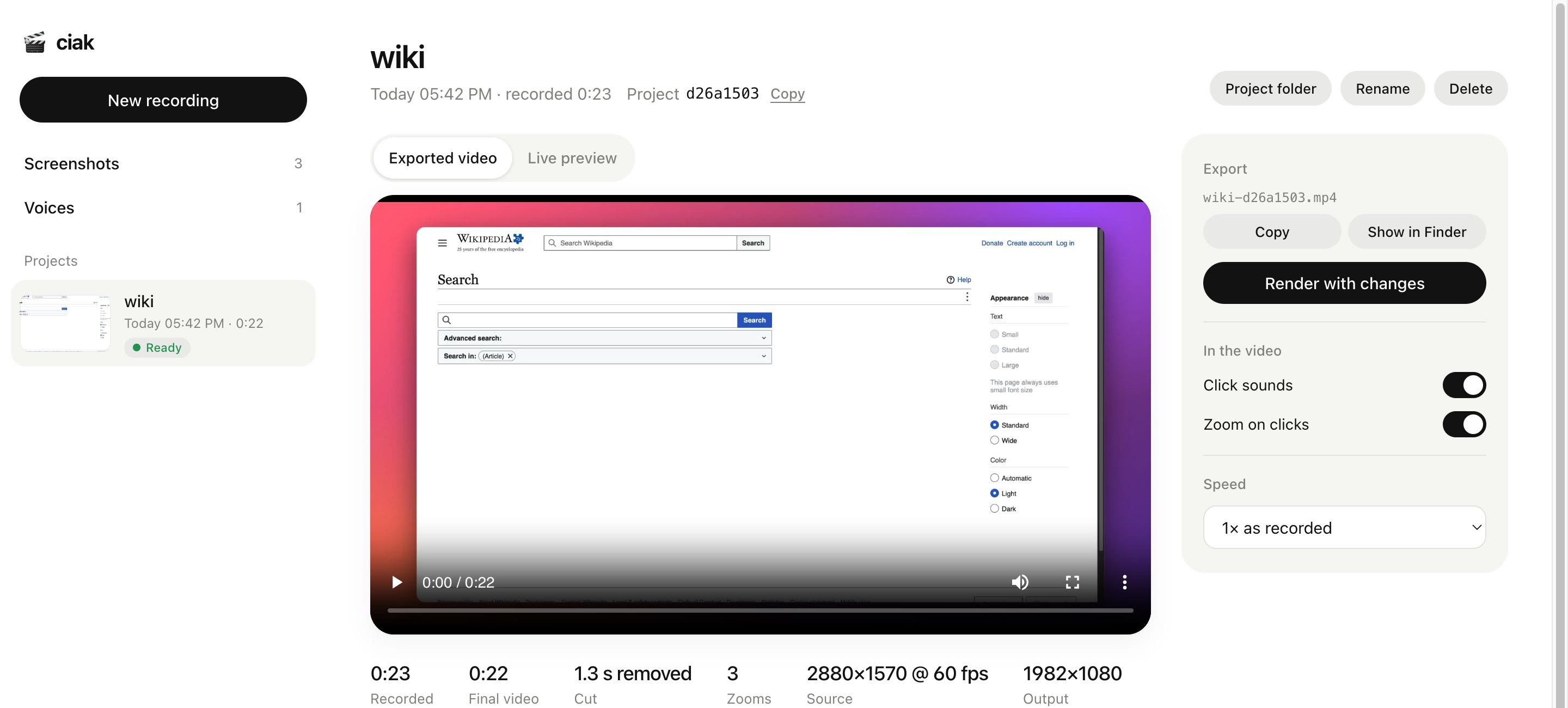
Every recording plays here. Switch zooms or click sounds off, change the speed, and watch it change right away.
Get ciak
Free and open source, for Macs with Apple silicon.
npx skills add nicoloboschi/ciak
- A menu bar app. ⌘1 takes a framed screenshot, ⌘2 starts a quick recording.
- Your agent learns it. Claude Code knows every ciak command after install.
- Then ask your agent to record something: the first time, it installs ciak. Or run
curl -fsSL https://raw.githubusercontent.com/nicoloboschi/ciak/main/install.sh | bash. - Needs macOS 15, Xcode command line tools and Node. The rest downloads itself when first needed. macOS asks once for screen recording.